Key system tutorial
This tutorial turns on the key system for a script and creates one key of each type: a one-device key for buyers, a shared key for a public beta and a trial key for a free test. It takes about five minutes.
Video: Turning on the key system and creating a one-device, a shared and a trial key
Turn on the key system
Open the script settings
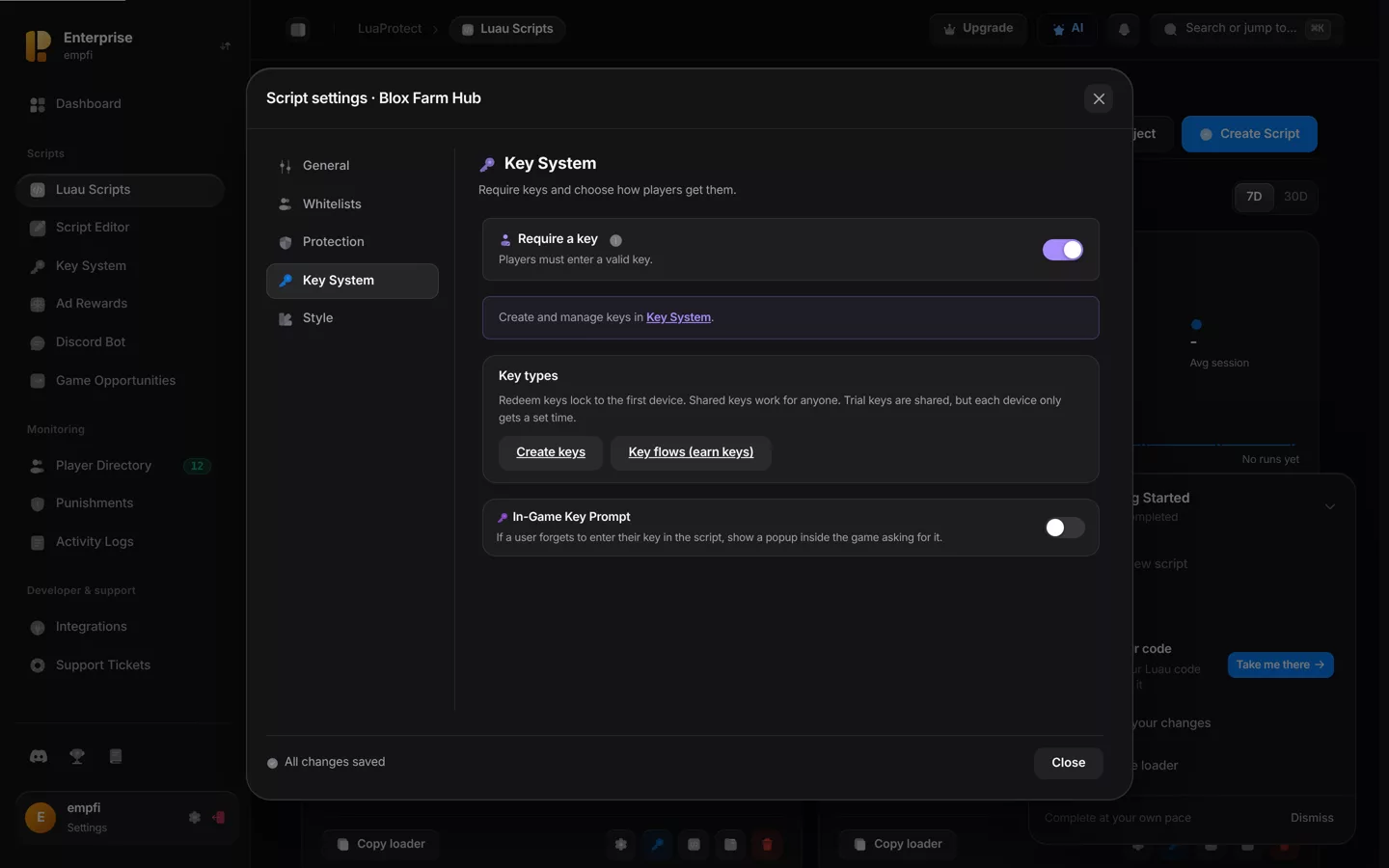
Go to Luau Scripts and press the key button on the script's card. The script settings open on the Key System tab.
Switch on Require a key
From now on the loader refuses to run the script without a valid key. Changes save automatically.
Optional: turn on the in-game key prompt
If a player forgets to put their key in the loader, a popup asks for it inside the game instead of failing.
Open the key creator
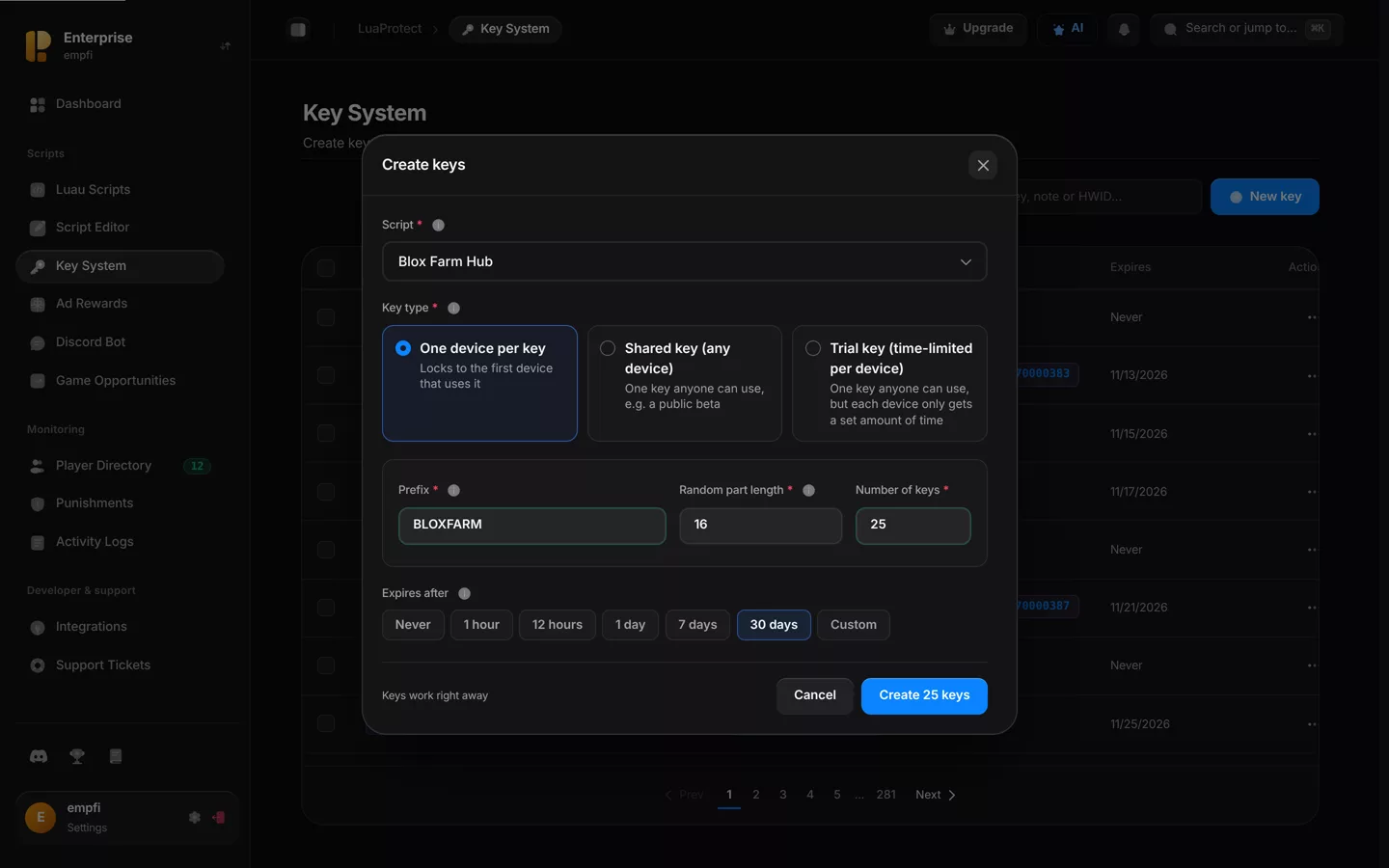
Open Key System in the sidebar and press New key. Pick the script the keys belong to. Choose Any of my scripts to make a key that works for every script that requires one.
One device per key
Use this for paying buyers. Each key locks to the first device that runs it, so passing it to a friend does nothing.
Set the format
Enter a prefix such as BLOXFARM, a random part length (16 or more is plenty) and how many keys to make.
Choose when it expires
Pick Never for a lifetime key, a preset such as 30 days, or Custom. The countdown starts the first time the key is used, not when you create it.
Create the keys
Press Create, then copy the keys and send one to each buyer.
Shared key
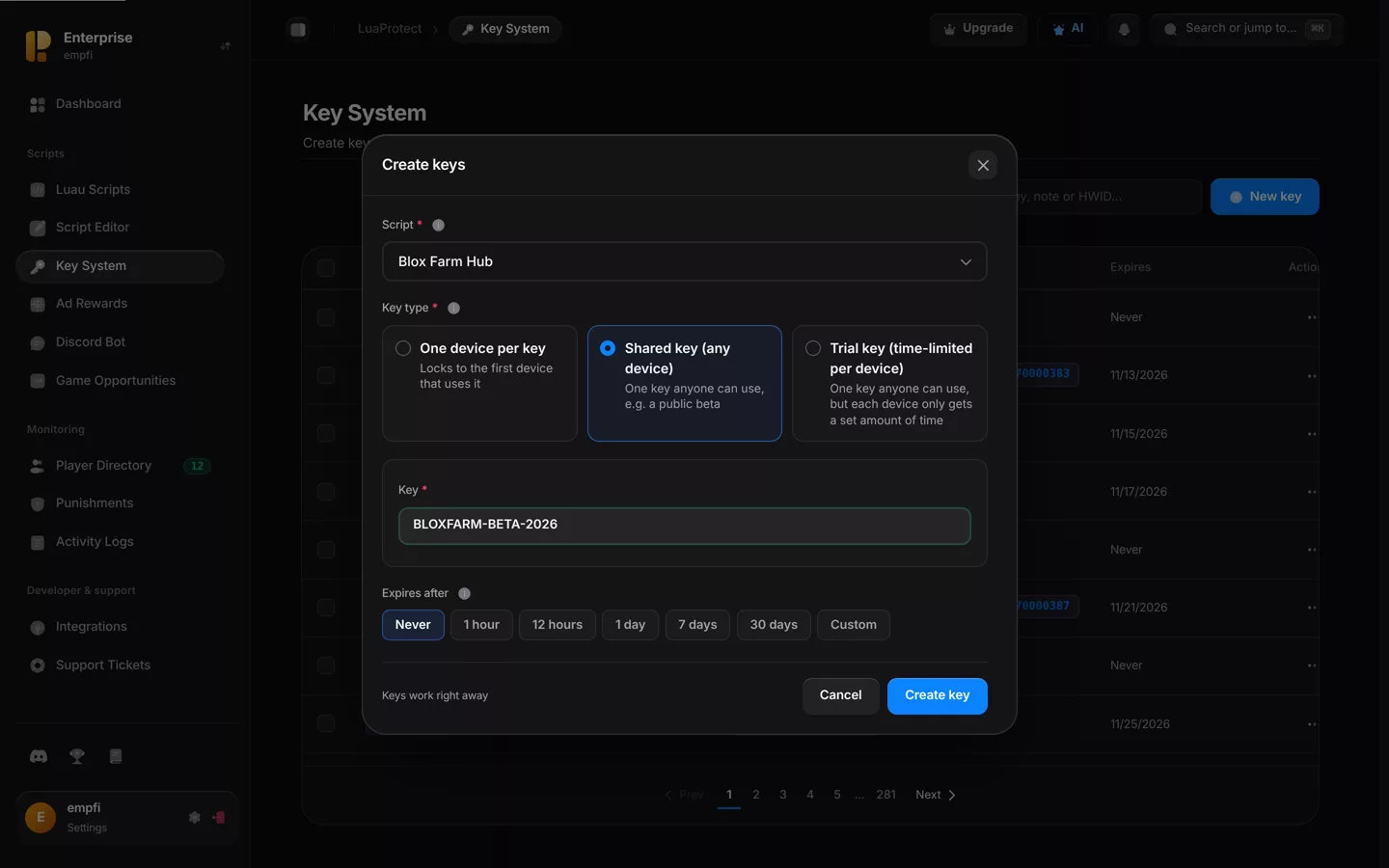
One key that anyone can use on any device, for example a public beta or a giveaway. There is no device lock, so treat it as public.
Write the key
Choose Shared key and type the key itself, such as BLOXFARM-BETA-2026.
Choose when it expires
Pick Never to keep it open, or a preset such as 30 days to end the beta automatically.
Trial key
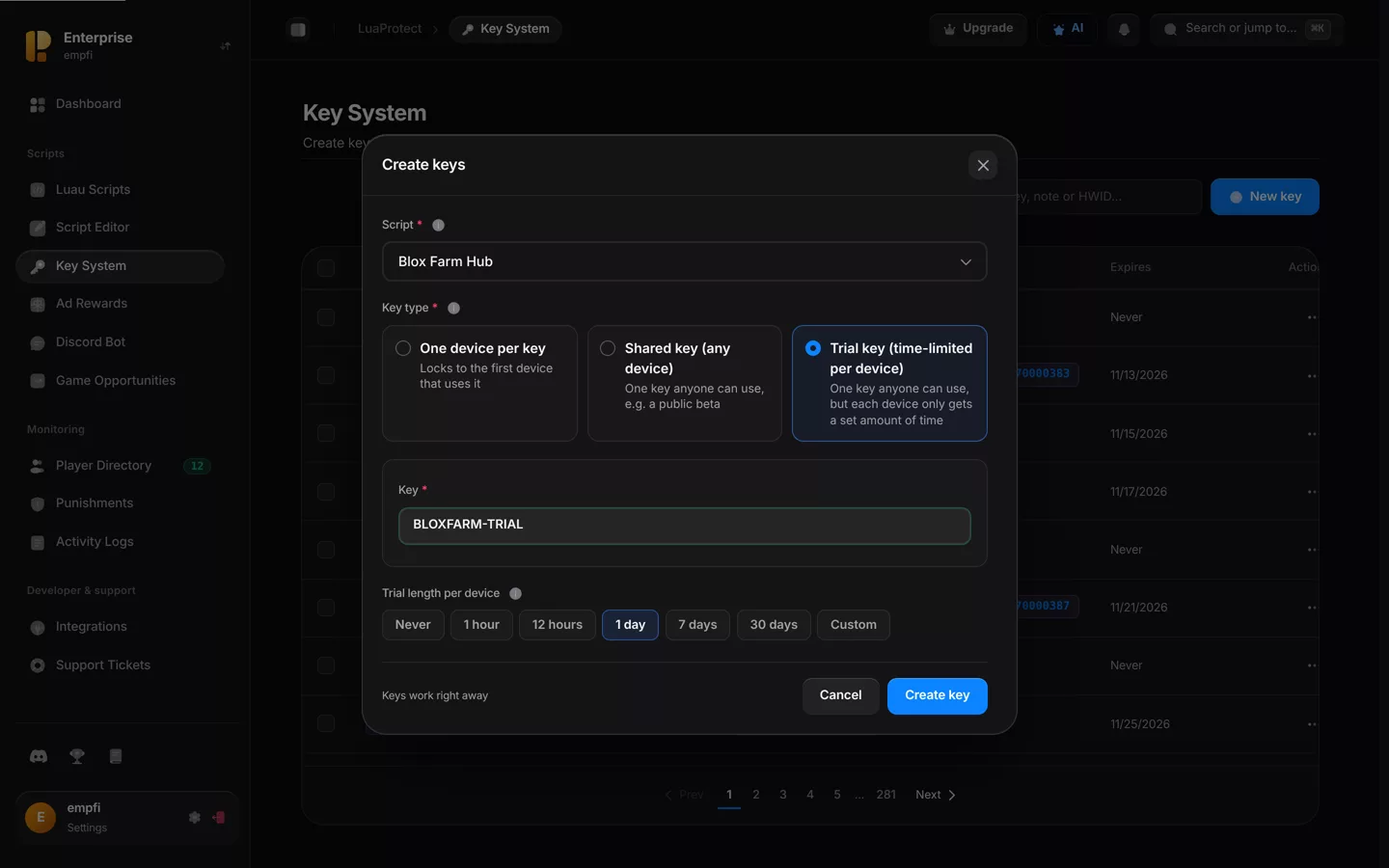
One key anyone can use, but each device only gets a set amount of time. Post it publicly to let players test the script before they buy.
Write the key
Choose Trial key and type the key, such as BLOXFARM-TRIAL.
Set the trial length
Pick how long each device gets, for example 1 day. Each device's clock starts the first time it uses the key, and after that the key stops working on that device.
Give players the key
Players put their key above the loader you copy from the script card:
script_key = "BLOXFARM-XXXXXXXXXXXXXXXX"
loadstring(game:HttpGet("YOUR_LOADER_URL"))()
Hand keys out automatically: Instead of sending keys by hand, let buyers redeem them with the Discord bot, or let free users earn them through a key flow.